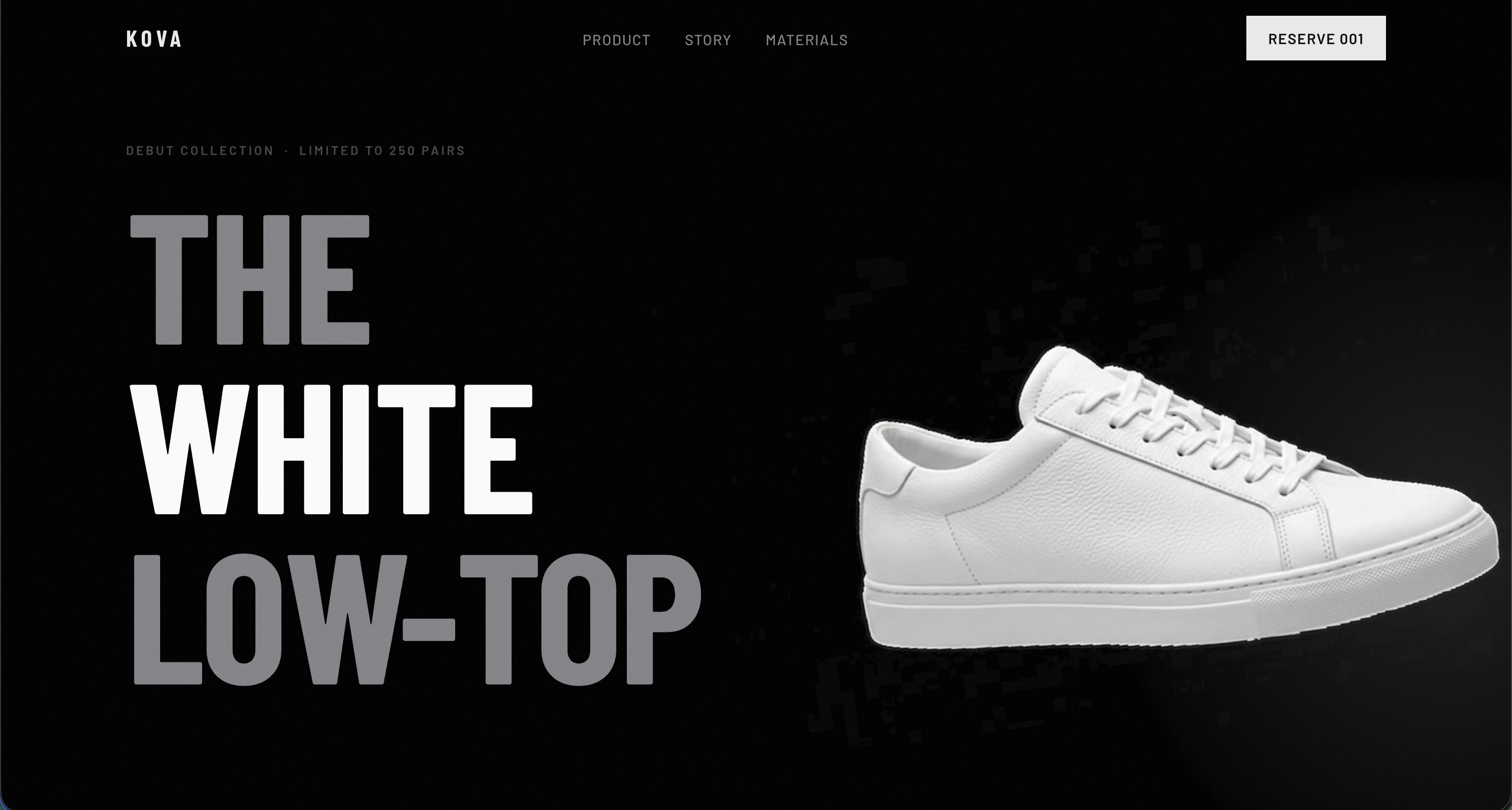
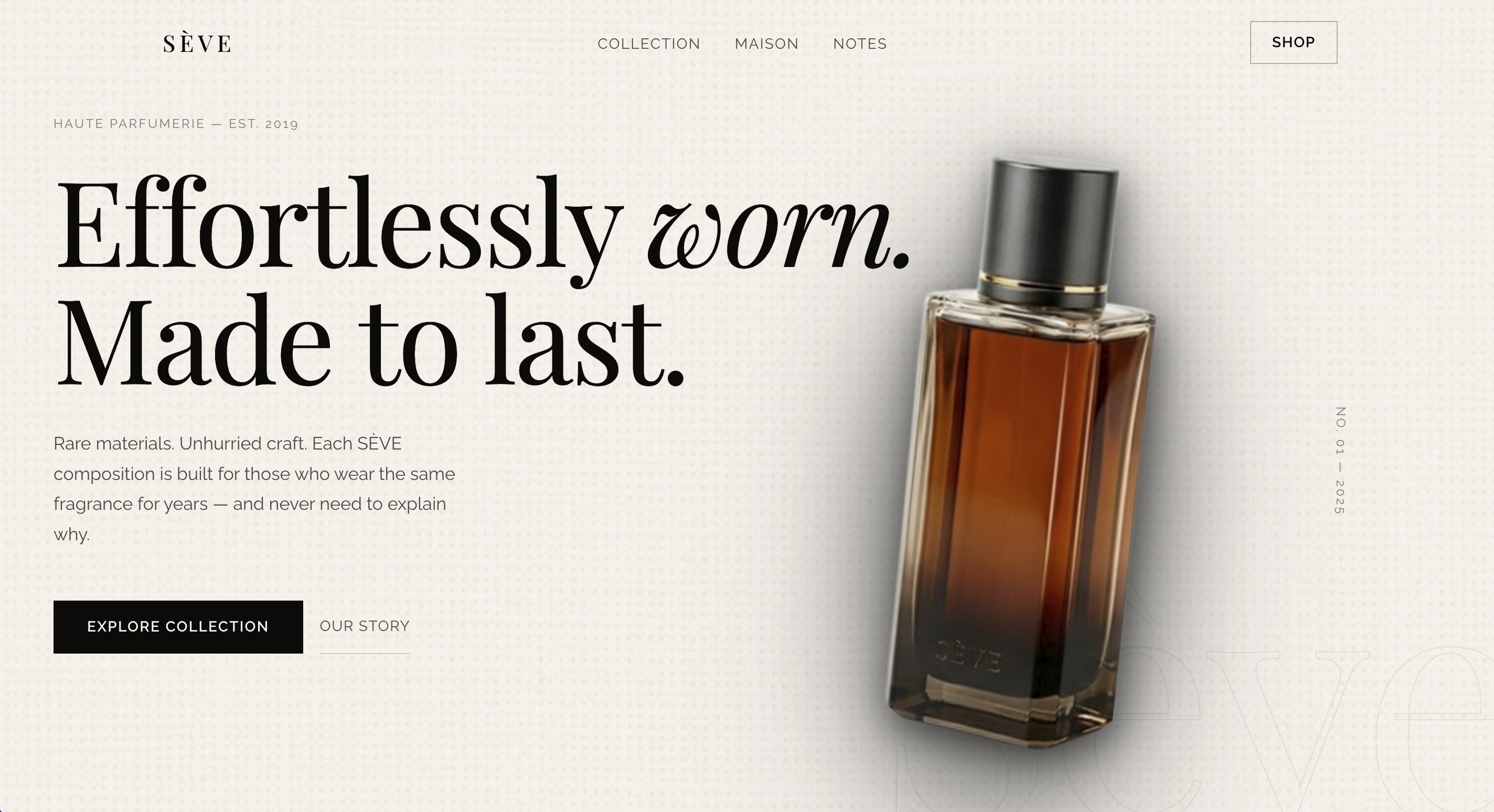
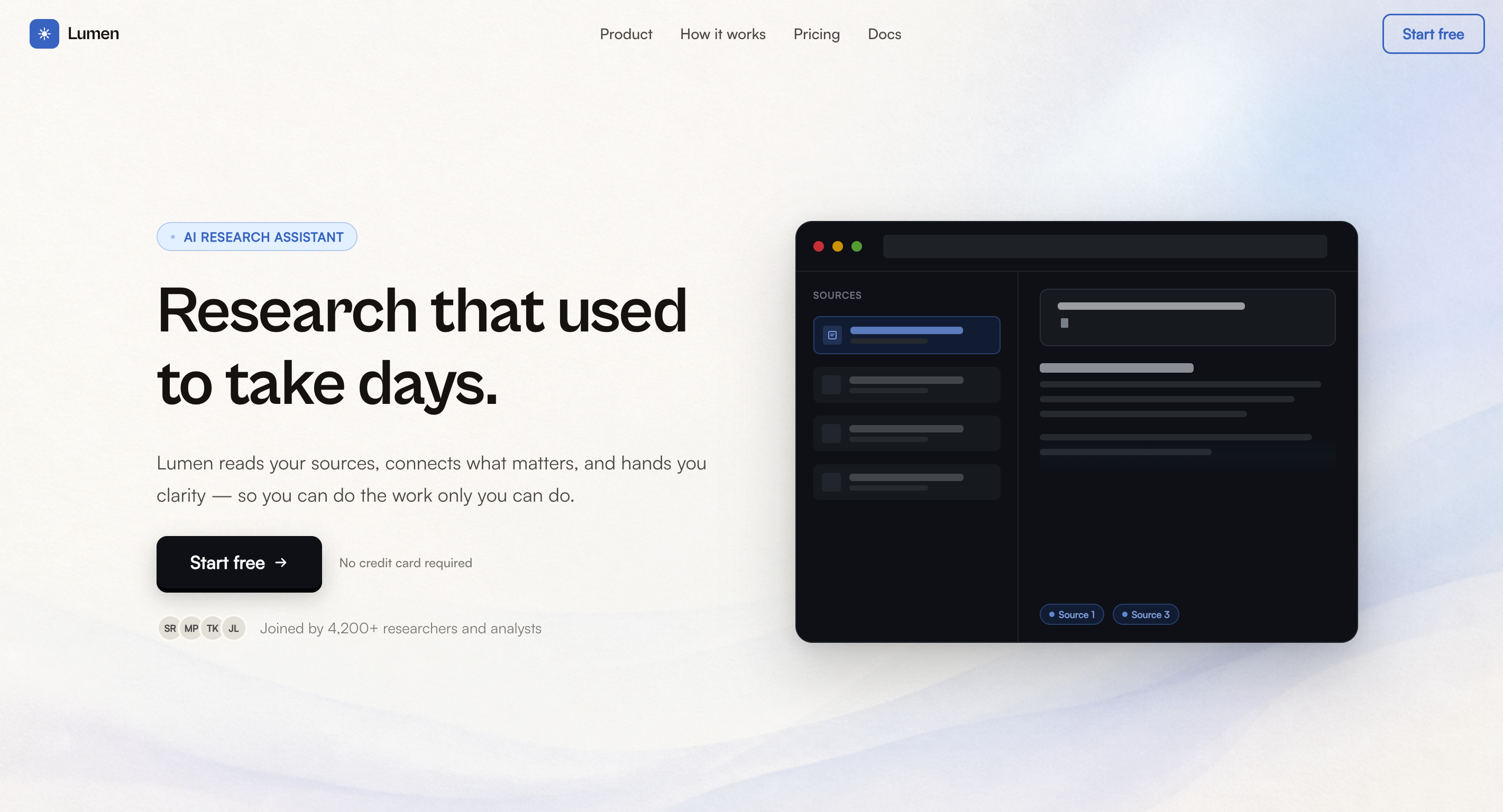
Three sites. Three niches. One system.
IntelliFront operates like a senior design agency inside your AI coding tool. Five agents diagnose, de-slop, research live references from top sites in your niche, and generate production-quality redesigns — in any tool that supports SKILL.md.
Three sites. Three niches. One system.
Five agents. One system.
Select one agent, combine them, or trigger Godmode for a full transformation — live web research, complete redesign, copy rewrite, and exact asset requirements including Midjourney prompts for every image.
Critique
diagnosis onlyA 6-phase diagnostic that covers every dimension of a site. Visual hierarchy — is the most important element actually the most prominent? Typography — is the font choice appropriate for the niche? Spacing — is there a consistent rhythm or random gaps? Accessibility — contrast, focus states, ARIA labels. Trust signals — does it look credible? Each dimension is scored out of 100, and the output closes with the three highest-impact fixes to make first.
Output: scores across 6 dimensions, ranked fix list, no code generated.
Fetches 2–3 live reference sites from the niche before generating anything. For a SaaS tool: stripe.com for hierarchy, linear.app for spacing discipline. For a luxury brand: aman.com for restraint, rolex.com for typography. Real observations from real sites — not training data guesses. From those observations it synthesizes a design direction: brand voice, OKLCH color system, font pairing, motion tier, texture. Then generates working HTML/CSS for the 3–4 highest-impact sections.
Output: design direction, OKLCH palette, working HTML/CSS, asset requirements.
Design Intelligence
generates codeSlop Check
generates fixesMatches the input against 40+ named AI-generation patterns across 6 categories. Visual slop: gradient hero orbs (V1), decorative glassmorphism (V2), icon card grids (V3), neon glows (V4). Typography slop: Inter or Syne as display fonts (T1/T2), gradient text (T4). Copy slop: transformation verbs like "revolutionize" and "seamless" (C1/C2), emoji anywhere in UI (C9 — the single biggest AI tell). Each pattern gets a severity rating and a before/after code fix. The output includes a Slop Score — lower is better.
Output: slop score, pattern breakdown by category, before/after code fixes.
For business sites only — skipped if there's no conversion goal. Audits five things: hero clarity (does the headline say what the product actually does?), CTA quality (is the button text specific or generic?), social proof (real names and outcomes, or "John D. — Great product"?), pricing transparency (is there a number on the page?), and funnel friction (how many clicks to get started?). Every issue gets a specific fix ranked by ROI — what moves the needle most goes first.
Output: ranked improvement table, headline rewrites, CTA rewrites, copy fixes.
Conversion
rewrites copyGodmode
full transformationAll five agents in one coordinated pass. Starts with a triage and slop fingerprint, then runs live reference research from 50+ niche sites, writes a full agency brief, makes architecture decisions (what stays, what changes, what gets removed entirely), generates a complete OKLCH design system, and rebuilds every section with directional scroll reveals, proper motion tiers, and component-level decisions. Closes with a complete asset list — every image described with a Midjourney or DALL-E prompt, every font linked with source and cost, every interactive component named and explained.
Output: everything — triage, design system, full HTML/CSS, copy rewrite, Midjourney prompts, asset checklist.
What makes it different
Every output is grounded in live observation and design principles — not training data guesses.
Live web search, every run
Fetches actual reference sites before generating. Stripe for hierarchy, Linear for spacing, Aman for restraint. Real observations from 50+ niche sites, not memory.
Midjourney prompts built into the code
Every image placeholder gets an inline comment with the exact AI prompt or stock search term. You know what to generate before you touch a single tool.
Motion Tiers 1 through 5
Subtle hover states for healthcare. Directional scroll reveals for SaaS. Clip-path cinematic entrances for agencies. You pick the tier, IntelliFront picks the patterns.
40+ slop patterns named and fixed
Gradient hero (V1), icon card grid (V3), Inter as display (T1), transformation verbs (C1), emoji in UI (C9). Every pattern has an ID, a reason, and a before/after code fix.
Visual Hierarchy
38 to 91
Trust Perception
41 to 87
Typography
29 to 84
Slop Score
72 to 11
Component library
37+
15 Button Variants
Stacked shadow, arrow slide, fill wipe, blob shift, 3D perspective press, shimmer sweep, magnetic pill, vertical flood, underline reveal, icon flip, split reveal, progress state, dark ghost, neumorphic, text link — each with a decision guide.
22 Interactive Components
Pill, flat, and glow toggle switches. Flip and wave checkboxes. Tile radio groups. Vertical glider nav. 5 loader variants. Custom range slider. Pill, underline, and segmented tab bars. Status badges. Step progress indicators.
Directional Scroll Reveals
Left, right, up, rotate — with paired sections always entering from opposite directions. Clip-path curtain reveals for Tier 4-5. Stagger timing built into data attributes. Zero external libraries.
40+ Slop Patterns Indexed
V1-V10 visual, T1-T8 typography, C1-C9 copy, L1-L8 layout, I1-I6 interaction, X1-X5 trust erosion. Each pattern has an ID, a severity rating, a detection signal, and before/after code.
Textured Backgrounds
SVG noise, animated film grain, CSS canvas weave, linen, concrete — each mapped to a brand material. Canvas for athletic, linen for luxury, grain for editorial. Opacity calibration guide included.
35 Niche Color Palettes
SaaS (6), AI (4), fintech (5), e-commerce (5), luxury (5), agency (5), healthcare (5), real estate (3), portfolio (4). All in OKLCH with hex references and "reads as" brand descriptions.
Compatibility
One SKILL.md. IntelliFront plugs into any tool that supports SKILL.md files — no separate config, no additional setup.
Installation
Pick what fits your tool. All three give you the full system.
Clone the repo
Get everything — 5 agent files, 3 style files (design system, typography, motion), 9 component files (nav, hero, cards, buttons, interactive, CTA, footer, ui-kit), 2 reference docs (design references with 50+ niche sites and 35 OKLCH palettes, anti-slop index with 40+ patterns), and 2 utility files (scoring formulas, confidence protocol).
Point your tool at SKILL.md
Claude Code: add the repo folder to your project knowledge — all files become available automatically. Cursor: drop SKILL.md into .cursorrules or add the folder as project context. v0 / Lovable / Windsurf / Gemini CLI / OpenCode: paste the contents of SKILL.md as your system prompt. For best results, include the agent files and style files in context too.
Describe your site and run
Drop a URL, paste HTML, share a screenshot, or describe the site in plain language. IntelliFront will classify it, show you the five agent options with a recommendation, ask whether you want Midjourney prompts or stock search terms for images, ask for your motion tier preference (subtle / expressive / cinematic), then build.
# Clone the repo
git clone https://github.com/siddpokuri/intellifront.git

# Claude Code — add to project knowledge
# Cursor — drop into .cursorrules
# Any agent — paste SKILL.md as system prompt

# Describe your site:
"Run godmode on [URL / code / description]"

# IntelliFront asks upfront:
Images: a (Midjourney) / b (stock) / c (own)?
Motion: 1 (subtle) / 2 (expressive) / 3 (cinematic)?
Open source, free, and works with the tools you already use. No login. No API key. Drop it in and run.